✅ Course overview
- Pub/Sub: Qwik Start
Pub/Sub의 기본 개념을 이해하고, 토픽 설정 → 메시지 발행 → Pull 구독자를 통해 메시지 소비해보는 실습 - BigQuery: Qwik Start - Console
공개된 데이터셋 쿼리 → 새 데이터셋 생성 → 데이터 로드 → 테이블 미리보기 → 사용자 데이터 쿼리 등을 통해 BigQuery 콘솔 사용법 익히는 실습 - Dataflow: Qwik Start
Pub/Sub → BigQuery 스트리밍 파이프라인을 Dataflow 템플릿으로 구축하고, CLI 또는 콘솔을 통해 데이터셋/테이블/버킷을 생성하는 실습 - Streaming Analytics into BigQuery: Challenge Lab
지시사항 없이 주어진 시나리오대로 Cloud Storage 버킷, BigQuery 데이터셋/테이블, Pub/Sub 토픽, Dataflow 스트리밍 파이프라인 구성 후 테스트 메시지 발행 및 검증하는 도전 랩
✅ 이 글의 개요
1~3에서 배운 기술을 적용하여 [ 4. Streaming Analytics into BigQuery: Challenge Lab ] 의 챌린지 랩의 해결과정을 정리한 글입니다.
✅ 이 글의 목차
Task 1.Create a Cloud Storage bucket
Task 2.Create a BigQuery dataset and table
Task 4.Run a Dataflow pipeline to stream data from Pub/Sub to BigQuery
Task 5.Publish a test message to the topic and validate data in BigQuery
Task 1. Create a Cloud Storage bucket
Create a Cloud Storage bucket using your Project ID as the bucket name: qwiklabs-gcp-03-695a0e1bf969
▶️ 결과
Cloud Storage > Create Bucket 으로 버킷 생성

Task 2. Create a BigQuery dataset and table
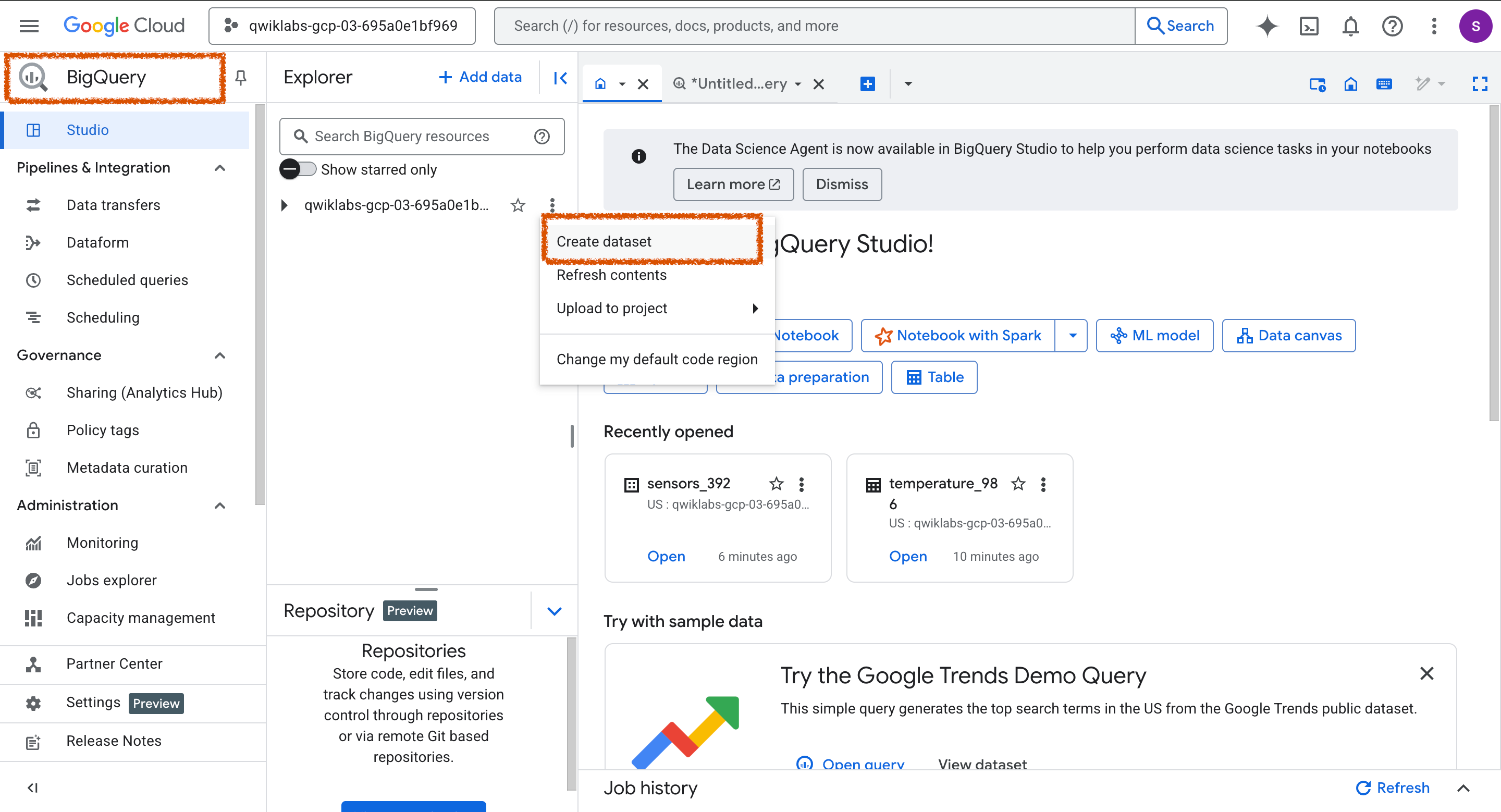
- Create a BigQuery dataset called sensors_392 in the region named US (multi region).
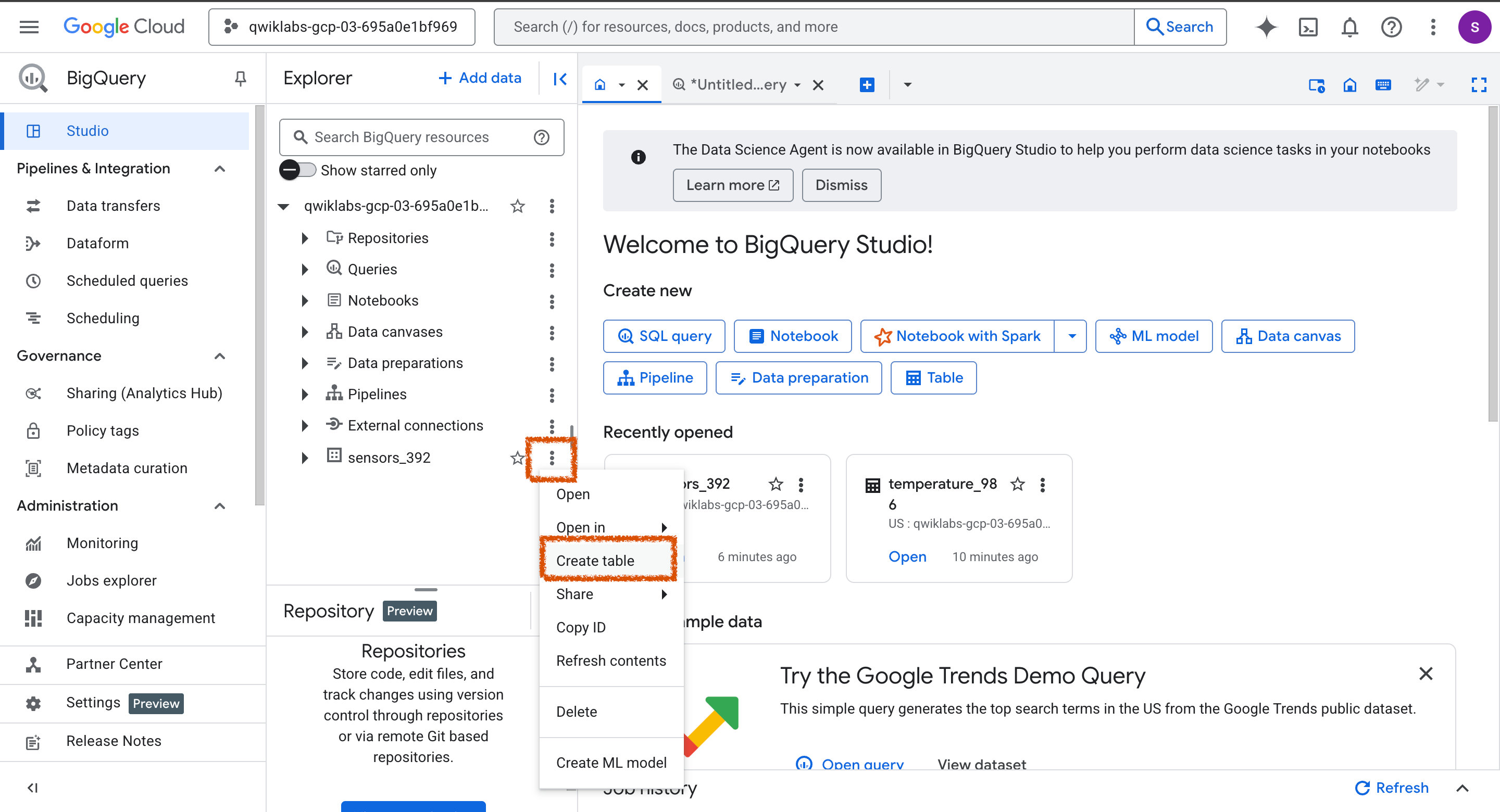
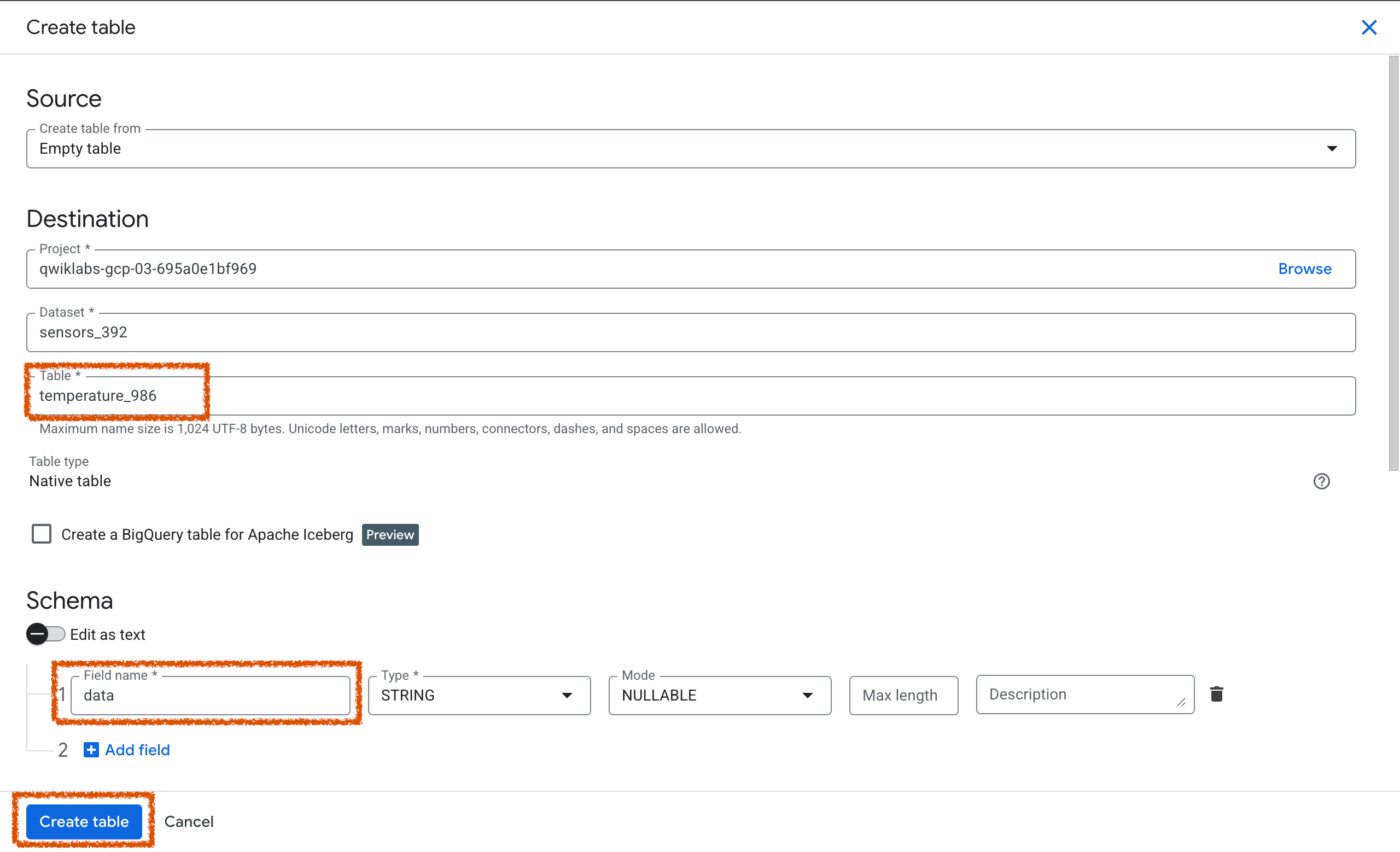
- In the created dataset, create a table called temperature_986 and add column data with STRING type.
▶️ 결과
Task 3. Set up a Pub/Sub topic
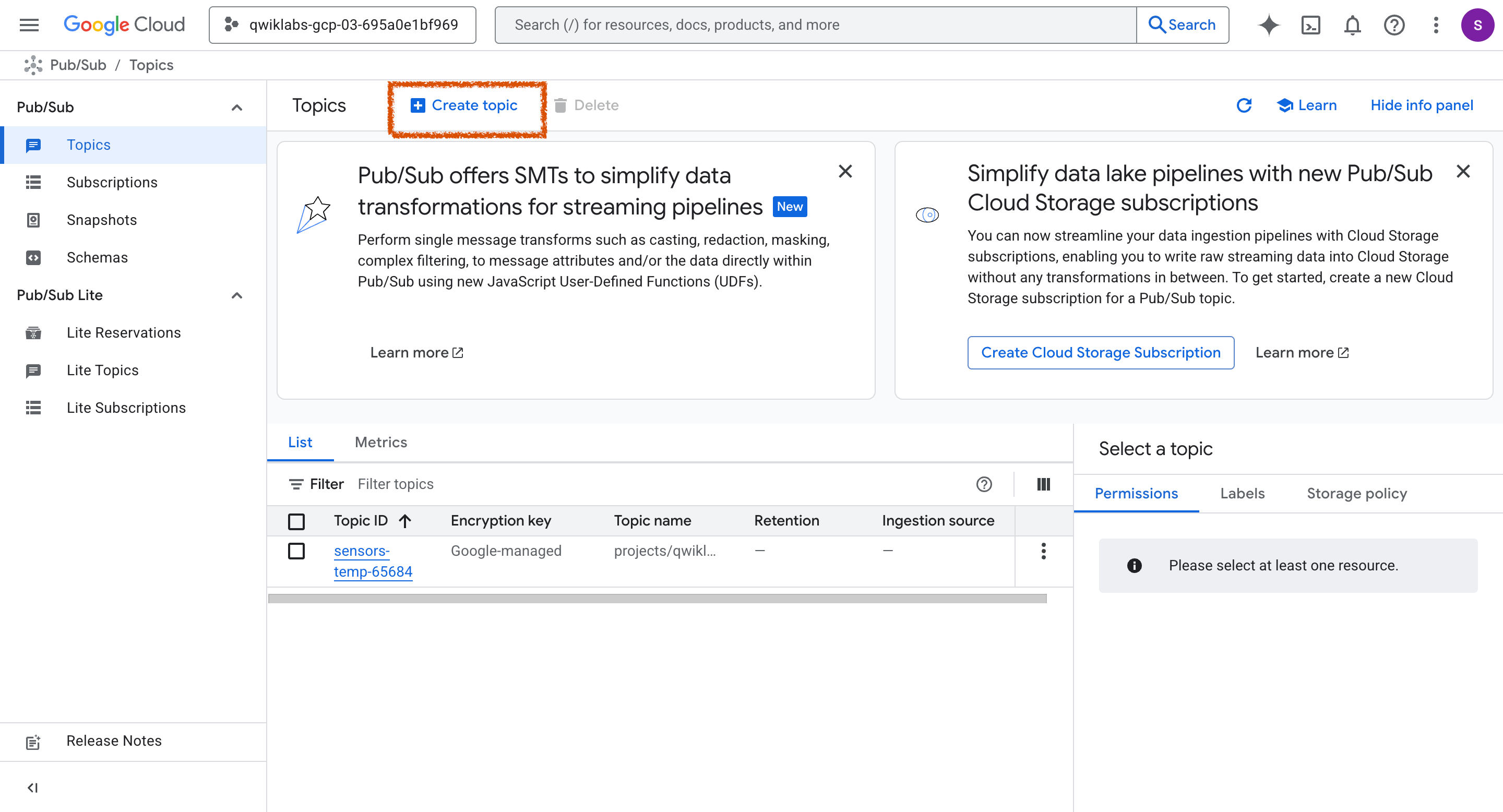
- Create a Pub/Sub topic called sensors-temp-65684.
- Use the default settings, which has enabled the checkbox for Add a default subscription.
▶️ 결과
Task 4. Run a Dataflow pipeline to stream data from Pub/Sub to BigQuery
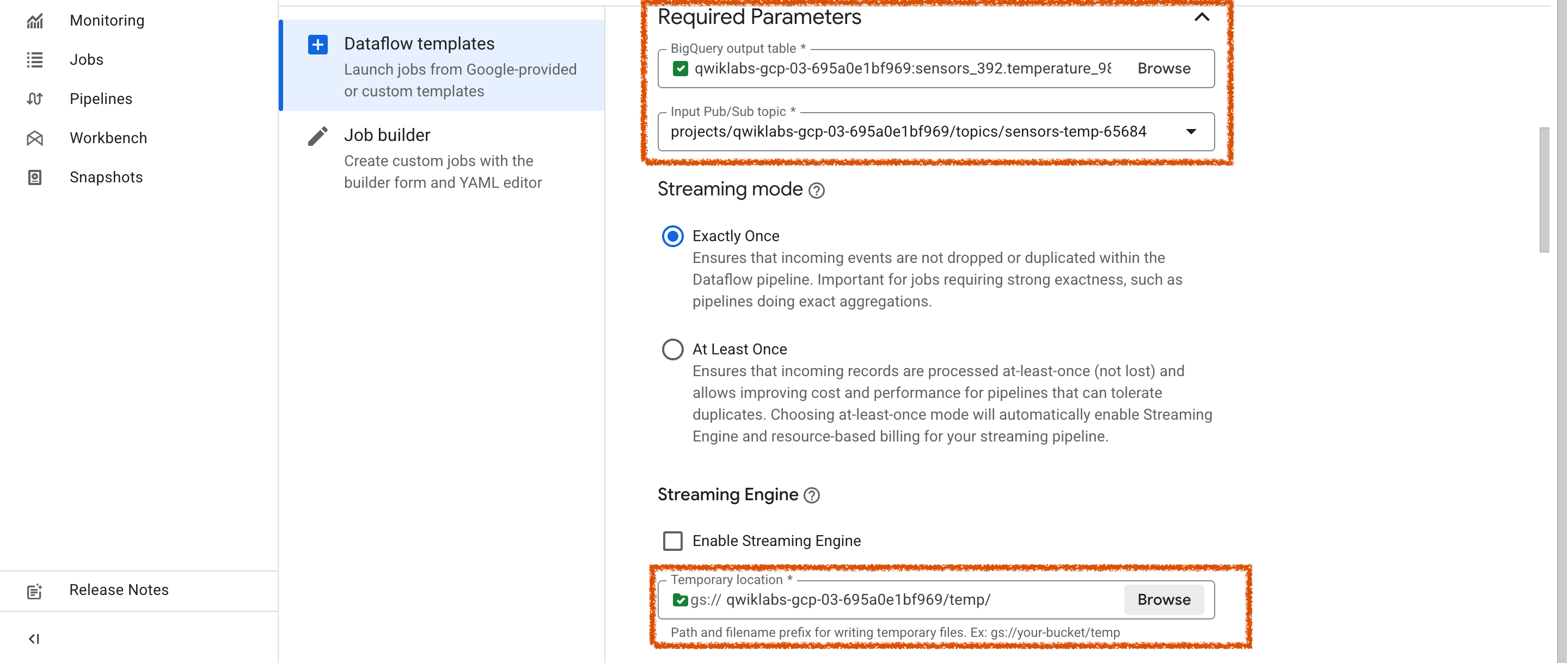
- Create and run a Dataflow job called dfjob-37569 to stream data from Pub/Sub topic to BigQuery, using the Pub/Sub topic and BigQuery table you created in the previous tasks.
- Use the Custom Dataflow Template.
- Use the below Path for the template file stored in Cloud Storage:Copied!
- gs://dataflow-templates-us-central1/latest/PubSub_to_BigQuery
- Use the Pub/Sub topic that you created in a previous task: sensors-temp-65684
- Use the Cloud Storage bucket that you created in a previous task as the temporary location: qwiklabs-gcp-03-695a0e1bf969
- Use the BigQuery dataset and table that you created in a previous task as the output table: sensors_392.temperature_986
- Use us-central1 as the regional endpoint.
▶️ 결과
Dataflow 사용 전 API 활성화


주어진 내용을 입력하고, Temporary location 은 생성한 버킷에 하위에 temp 폴더를 신규 생성하여 지정함.

Task 5. Publish a test message to the topic and validate data in BigQuery
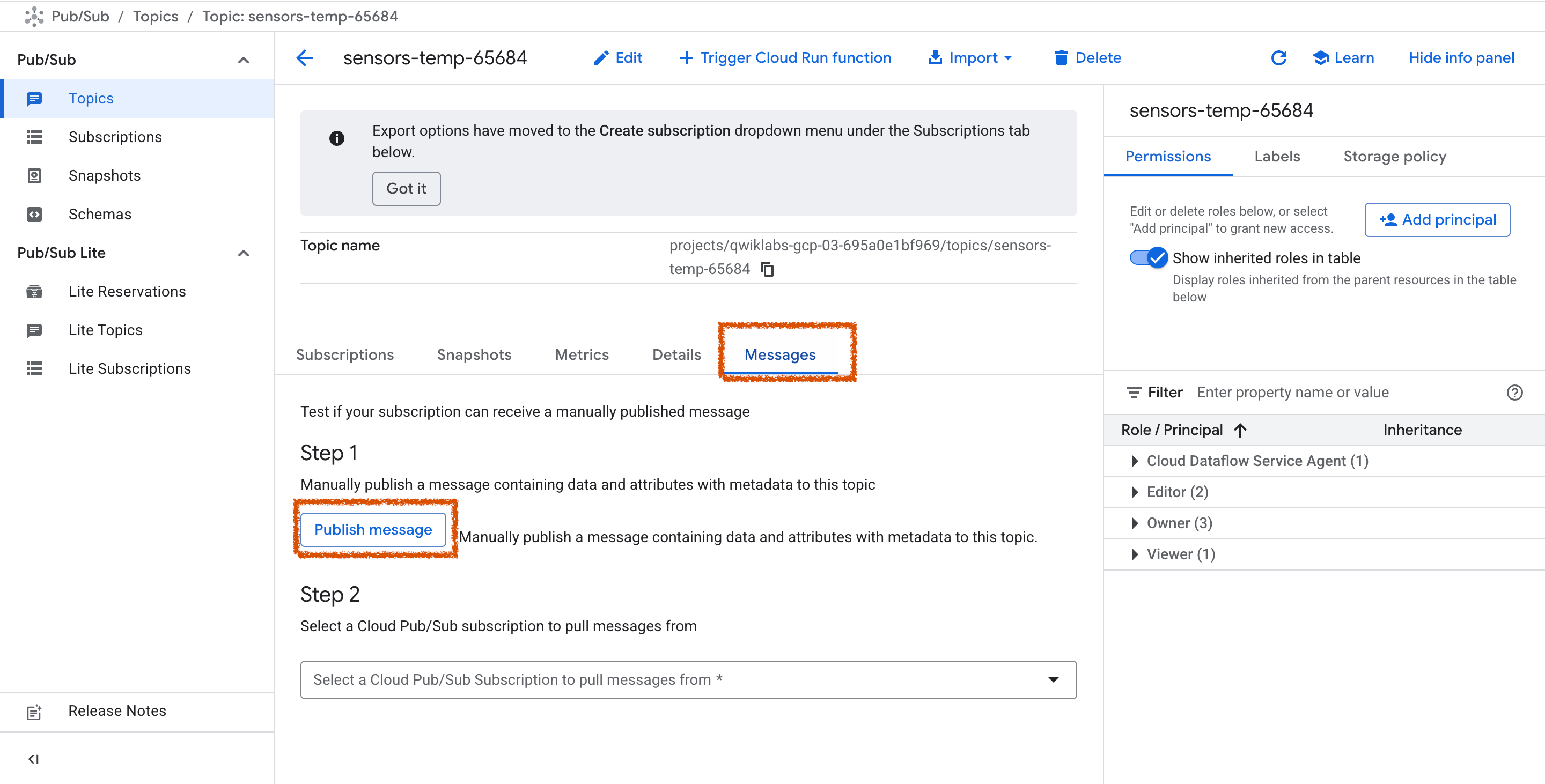
- Publish a message to your topic using the following code syntax for Message: {"data": "73.4 F"}
- Note: 73.4 F can be replaced with any value.
- Run a SELECT statement in BigQuery to see the test message populated in your table.
Note: If you do not see any test messages in your BigQuery table, check that the Dataflow job has a status of Running, and then send another test message.
▶️ 결과
앞서 생성한 topic 에서 메세지 publich 하면 dataflow 동작으로 앞서 생성한 테이블에 데이터가 insert 됨을 확인할 수 있음.


🔆Review
pub/sub 개념에 대한 알게 되었고, dataflow 사용 및 활용법에 대해 이해도를 높일 수 있었음.
'IT > 구글 스터디 잼' 카테고리의 다른 글
| (Skill Badge) Tag and Discover BigLake Data: Challenge Lab (0) | 2025.09.20 |
|---|---|
| (Skill Badge) Derive Insights from BigQuery Data: Challenge Lab (2) | 2025.08.30 |
| (Skill Badge) Analyze BigQuery Data in Connected Sheets (1) | 2025.08.30 |


